
A graph you can read
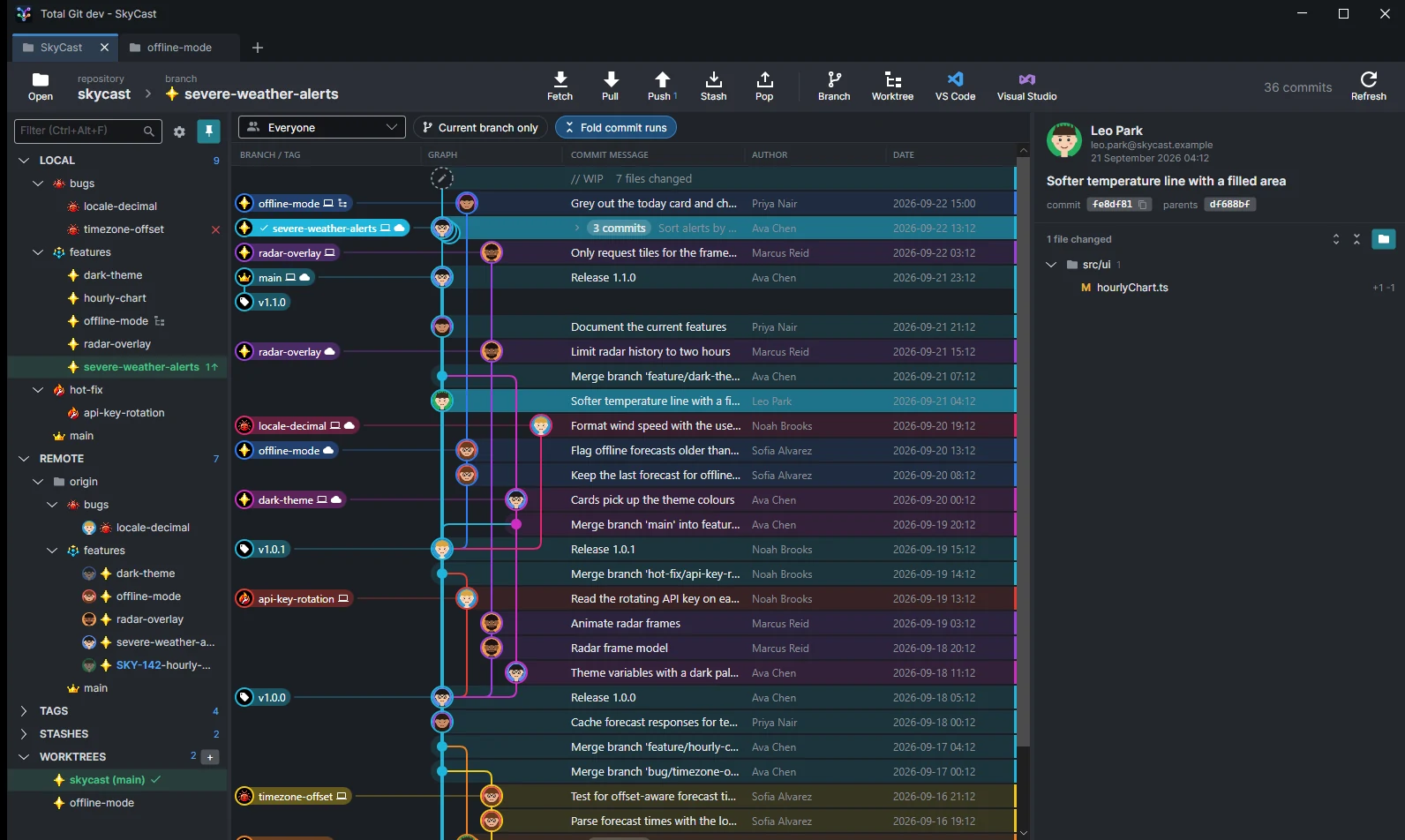
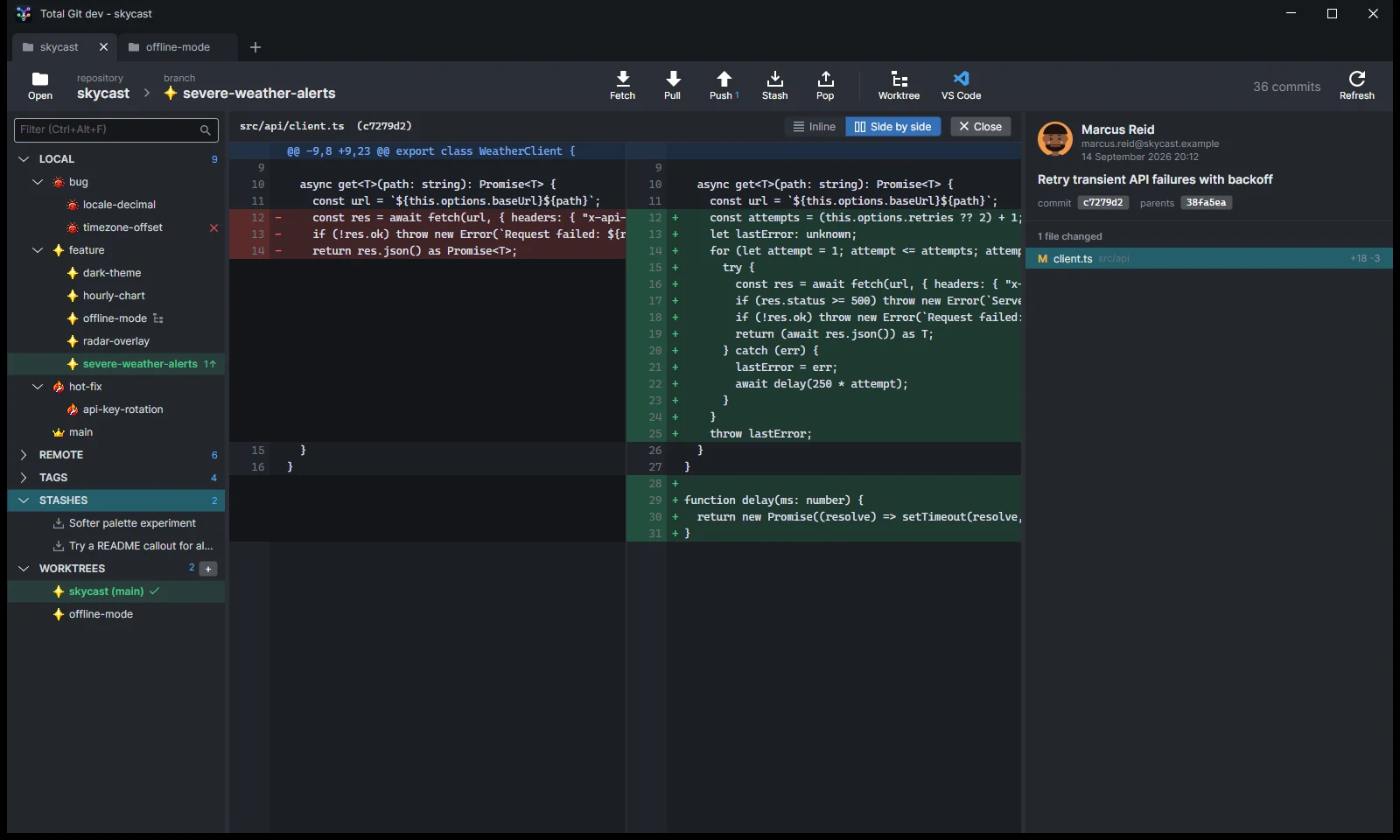
Coloured lanes, avatars, every branch and tag on its own line, thicker main lines, and runs of commits folded into one row.
See every branch. Review every change. Merge with confidence.
A fast, free git client for Windows, with a commit graph you can read at a glance, pull request reviews in their own window, and a built-in merge tool for when things get tangled.
Features
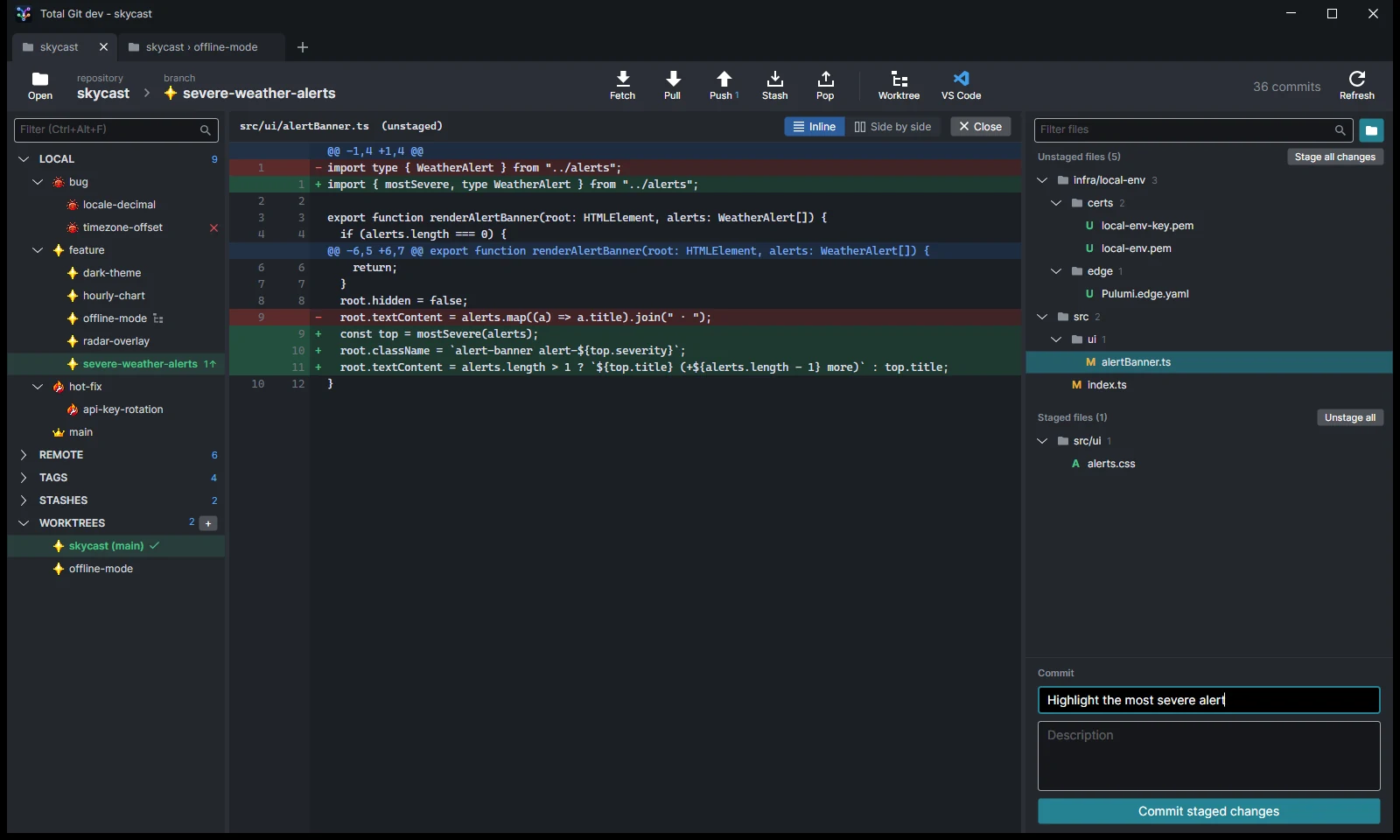
From a quick look at what changed to an interactive rebase across twenty commits, without dropping to the command line.
Coloured lanes, avatars, every branch and tag on its own line, thicker main lines, and runs of commits folded into one row.
Show one developer's work, or only the current branch's path back to main.
A window just for reviewing: tick files off, kept in sync with GitHub's Viewed, comment on lines and submit your review.
Review a branch against the branch it came off, or a run of commits, in the same window, before anyone opens a pull request.
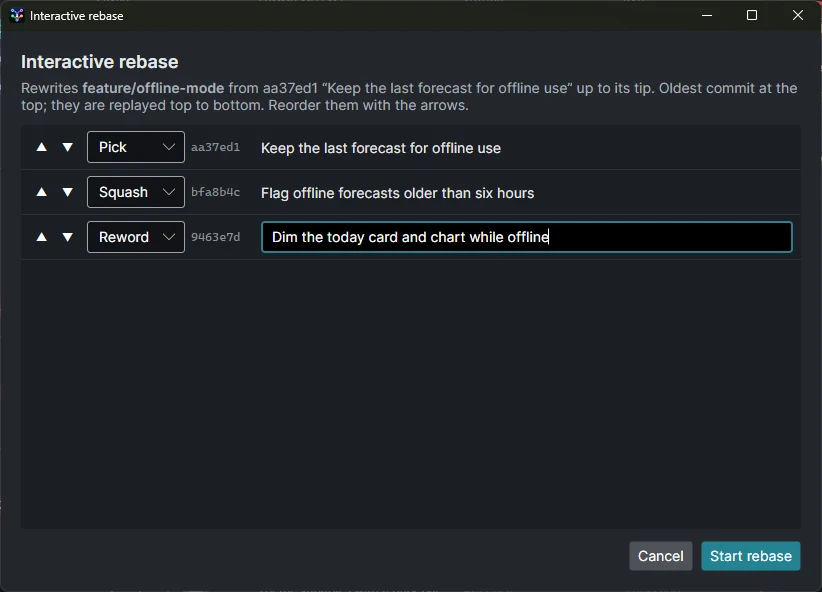
Interactive rebase, rebase picked commits onto another branch, squash a selection, and a 3-pane merge tool for conflicts.
Icons and grouping by your naming rules, the owner's avatar on remote branches, and Jira keys that open the ticket.
Every repository and worktree in a tab, each with its own colour, icon and name, and tiles for the ones you opened before.
GitHub Actions runs in the sidebar, as they happen, with re-run and cancel a right-click away.
Tour
Shown with a made-up demo repository and people.
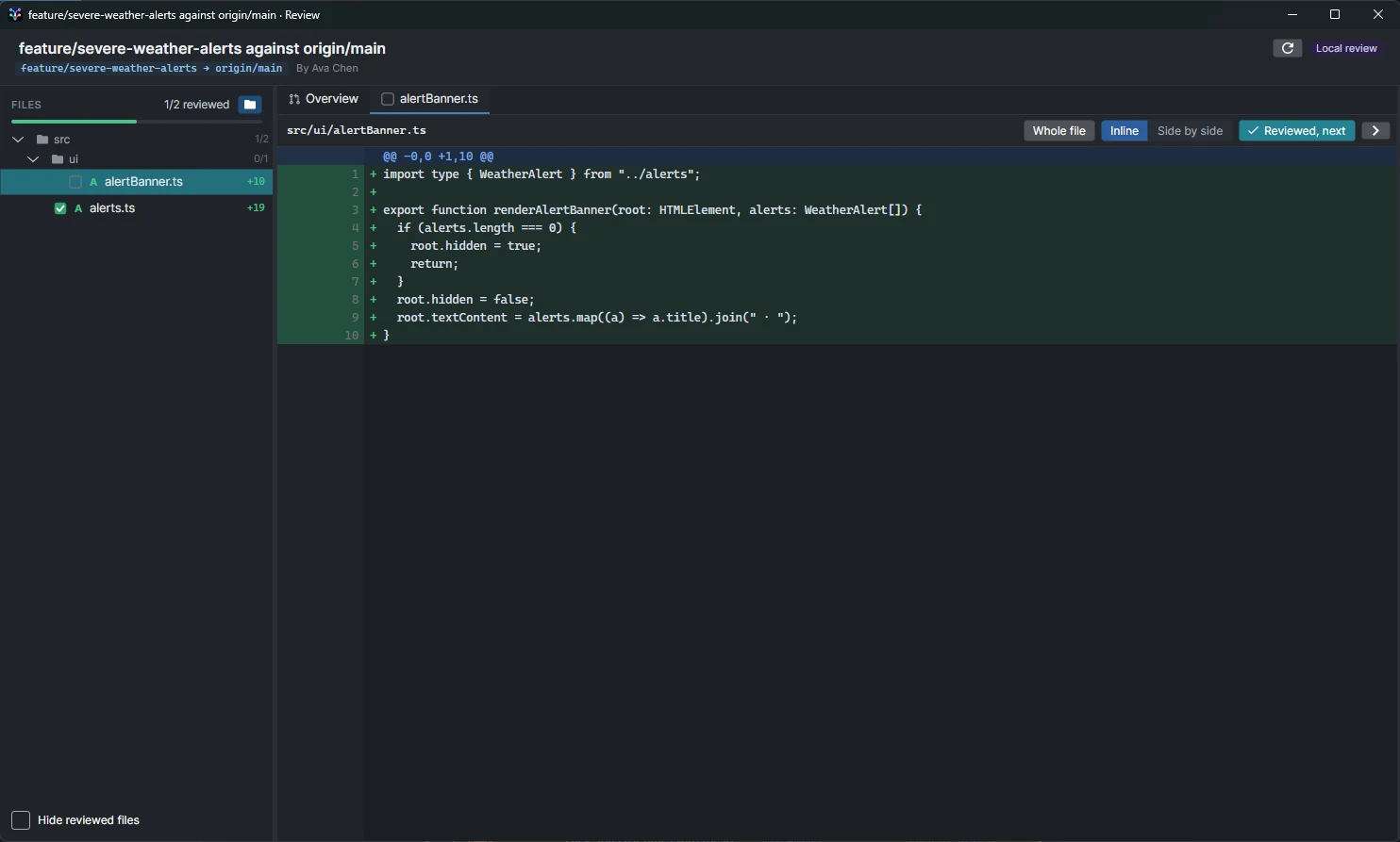
Pull requests open in their own window: the files in a tree, one file at a time, and a box to tick on each. When someone pushes again, the files you'd already reviewed show only what changed since.
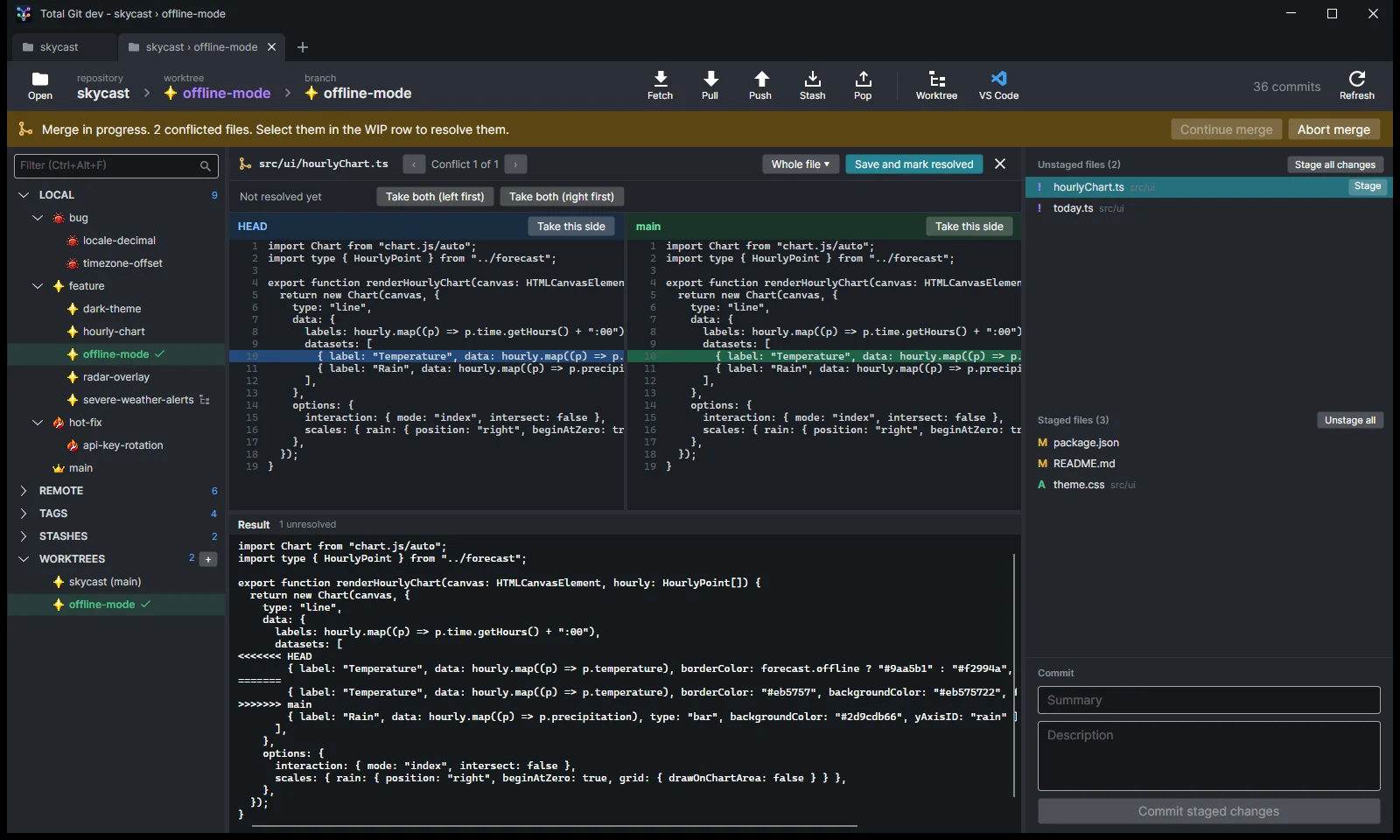
The built-in merge tool shows yours, theirs and the base side by side, with the result underneath. Pick a side per change or edit the result, then continue, skip or abort the merge or rebase.
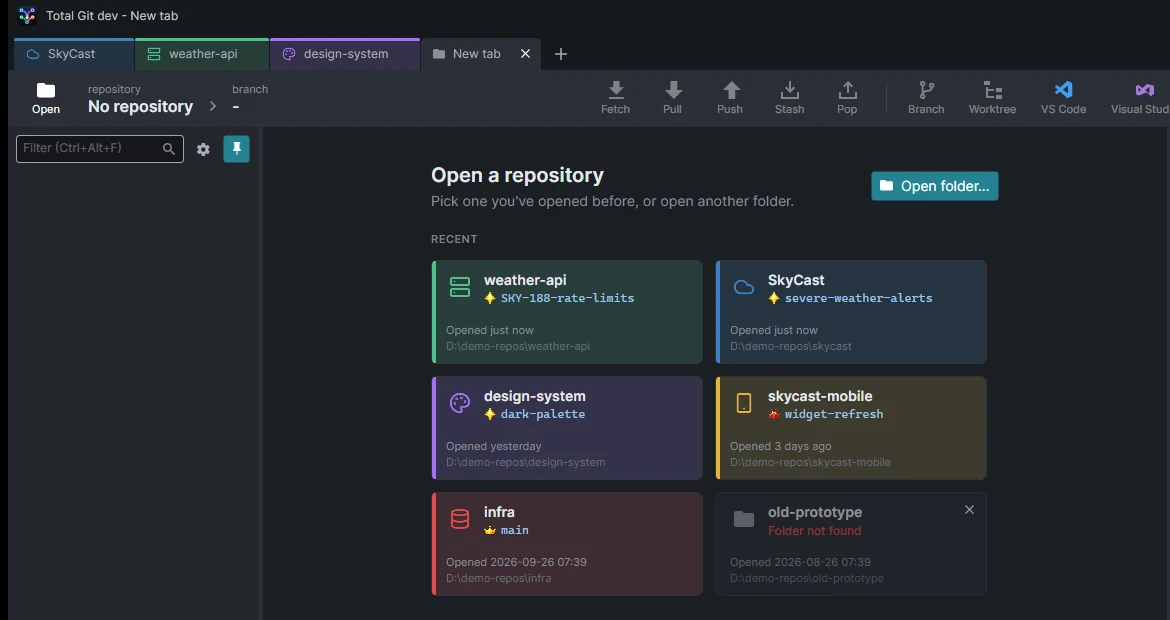
Give each repository a colour, an icon and a name for its tab. A new tab offers the ones you've opened before, with their current branch, and flags any that have moved.
Download
It installs for you alone (no admin needed) and keeps itself up to date: new versions download in the background and apply when you restart.